
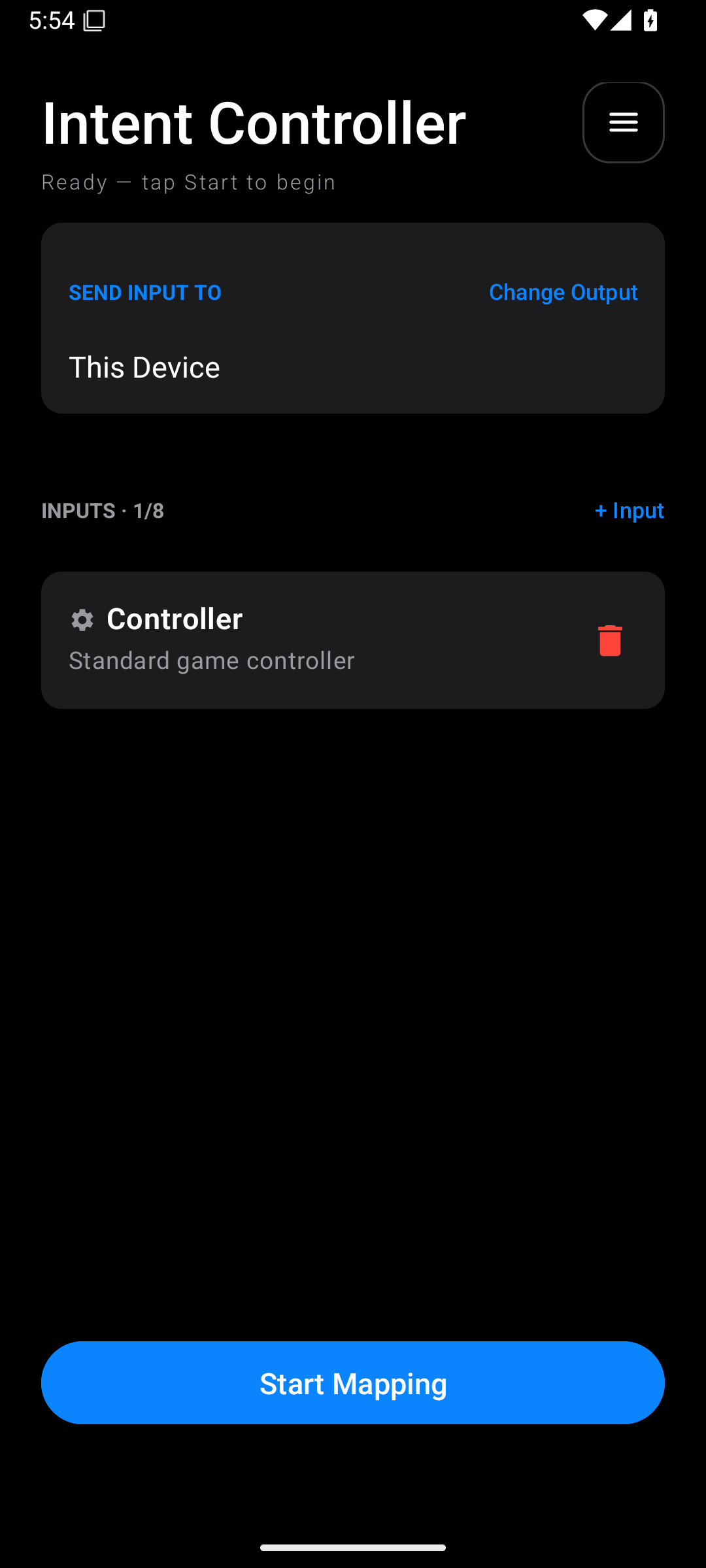
| Button or area | What it does |
|---|---|
| Status below Intent Controller | Tells you whether setup is ready or a connection needs attention |
| Add Output / Change Output | Chooses or changes the destination |
| + Input | Adds another input device, up to the eight-device limit |
| Input card or gear | Opens that input's mappings |
| Connection on a board card | Opens connection setup for that particular board |
| Continue setup | Resumes an unfinished board setup |
| Red bin | Removes the selected input from the profile |
| Reorder | Changes the order of input devices |
| Start Mapping | Begins sending your configured actions |
| Stop | Ends mapping and releases the output controls |
| Three-line menu at the top right | Opens profiles, Control Map, screen dimming, safety settings, and licences |
Remove only the card you mean to remove. With several boards, check the name first.
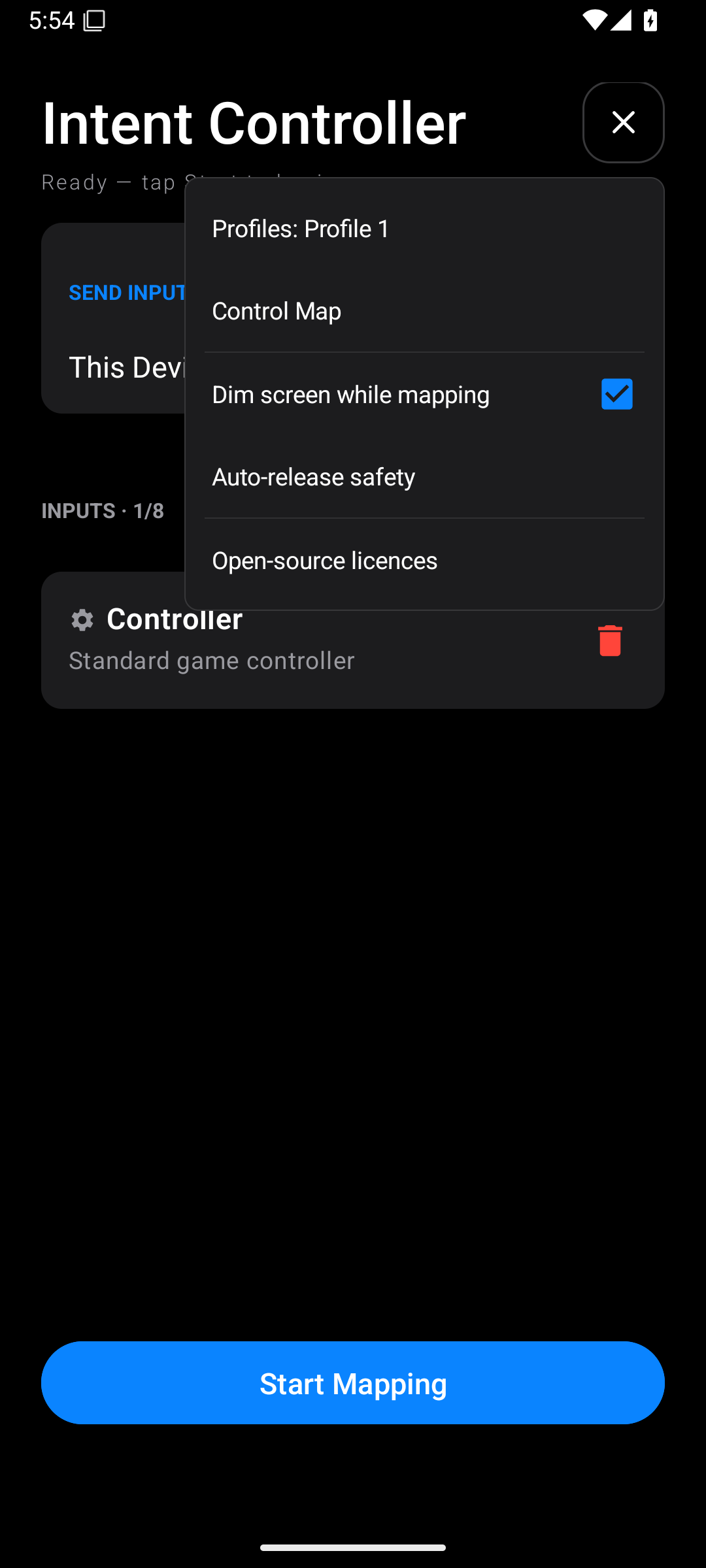
Dim screen while mapping lowers screen brightness during mapping. This can be useful when you are watching a television instead of the phone. Change it from this menu.
The input editor's live feedback helps you check a source. It does not replace Start Mapping. Saving a mapping also does not start a game session.